Noisy HP Z620 Workstation

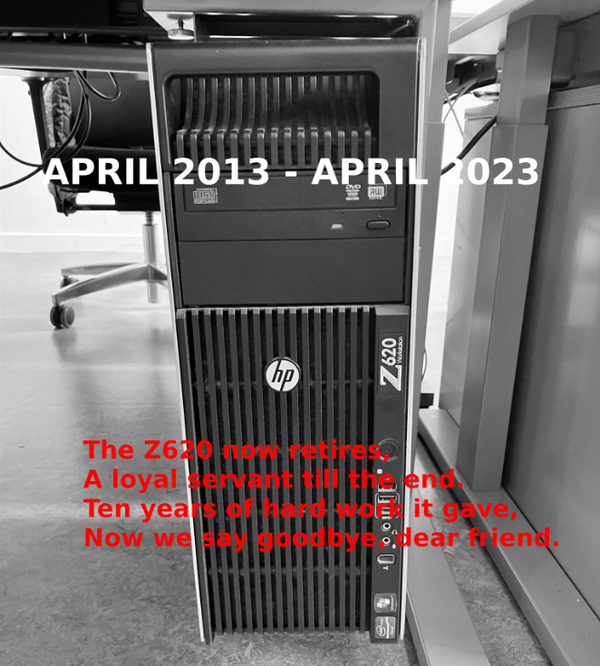
HP-Z620-WorkstationI really like my new workstation, but it has one irritating habit. It makes a monotone sound that comes up and fades away. One of it’s numerous fans was driving me crazy. At first I had a look at the BIOS configuration. There is a BIOS configuration option named Fan Idle Mode under Power – Thermal. Moving the bar to the right resulted in a lot more noise because the fans went into high gear, so I switch back to the previous setting. Next step was to open up the case and started to pull fan power cords. It appeared the front and back case fans did the damage to my ears. I’ll leave them unplugged for now. In my opinion the remaining fans will keep it cool enough to survive the blazing Dutch summer.

Silence is golden!

Multipath with HP LeftHand on RHEL

HP has acquired LeftHand networks and re-branded the LeftHand storage product to the HP P4000 storage series. This is a iSCSI SAN product targeted at entry level businesses. We are using this product for various projects, where our Oracle RAC cluster is one of them. For this cluster where are setting up MPIO. Because we are using interface bonding at the moment the LUN’s are configured already and don’t have to be created.

Quick environment specs:

  • RedHat EL5.8
  • 2 NIC’s in the storage network (eth3 and eth4)

[Read more...]

i’m Watch and webOS

Yesterday I received my long awaited new watch. This is a i’m Watch color watch. The i’m SPA company claims that this watch is the first real smartwatch in the world. This watch uses a slimmed down and highly customized version of Google’s Android, called i’m Droid.

First thing I did was upgrading the watch to the most recent firmware version which is 0.5.0. As soon as the new firmware was active I tried to connect the watch to my phone, which is a webOS HP Pre3. The watch communicates using Bluetooth, and it turns out it’s not a problem to pair and sync. I have to admit that I’m using the default installed Mobile Hotspot app which comes with webOS 2.2.4 for the Pre3 but with a minor, but important addition. I had to add a small script to the /etc/event.d directory to allow IP forwarding and added three iptables rules allowing NAT traffic to pass through. You can find this script at the end of this post.

Once there is a Bluetooth connection that supports tethering you have the ability to hit the button ‘Sync Cloud’. As you would assume this will download information for the apps you have configured in the i’m Cloud. There is a limited number of Cloud apps available. Have a look at the list below:

[Read more...]

Zimbra and webOS

I would like to share my experience with webOS in combination with Zimbra Collaboration Suite. For the past two years I’m using Zimbra Open Source edition and I am pretty satisfied with it. It handles my email, contacts, calendar and tasks very well. Call me paranoid, but I don’t like Google or Yahoo! to watch over my personal data. All was working well till I received my first webOS device, an HP TouchPad, which I wanted to connect to my Zimbra server to manage email, appointments, contacts and tasks. Doing some searches I discovered it is possible to use Exchange (ActiveSync) with Zimbra Mobile, but I had the wrong edition of Zimbra. It appeared Zimbra Mobile is available for all Zimbra editions except for the Open Source edition I was using, that’s how they earn their money. I chose to go for the Zimbra Appliance Basic Free Edition. This free edition allows you to create up to 10 mailboxes, which is enough for myself and some family members.
I am using VirtualBox virtualization software, which works with the VMDK from the ZCA zip file. The configuration and migration from one Zimbra edition to the other went relatively smooth. The first thing to test was to setup my HP TouchPad and HP Pre3 smartphone (both collectors items now) and both are connected without a glitch.

One last catch, be careful with the Zimbra default mobile policy. Remote wipe works extremely well if you enter four incorrect your pin codes.

After all I am pretty pleased the way it’s working.

My specs:

  • VirtualBox 4.1 on Debian 5 (Lenny)
  • ZCA 6.0.13 (Installed) upgraded to 6.0.14 (6.0.15 is on it’s way to be released shortly)
  • HP TouchPad 3.0.5
  • HP Pre3 2.2.4


HP TouchPad is here to stay

Today I have received my HP TouchPad I have waited for. This is a new tablet from HP with the same form factor as the well known iPad. The greatest difference between them is the operating system. HP acquired Palm for it’s advanced webOS. With features like true multitasking, non interrupting notifications, intuitive navigation and work flow and a lot more.

In the short amount of time I have spend getting to know the TouchPad make me realize I’m already quite accustomed to it.

This post is actually written on the TouchPad using the WordPress app from the HP app store which I’m currently test driving and I like it!